
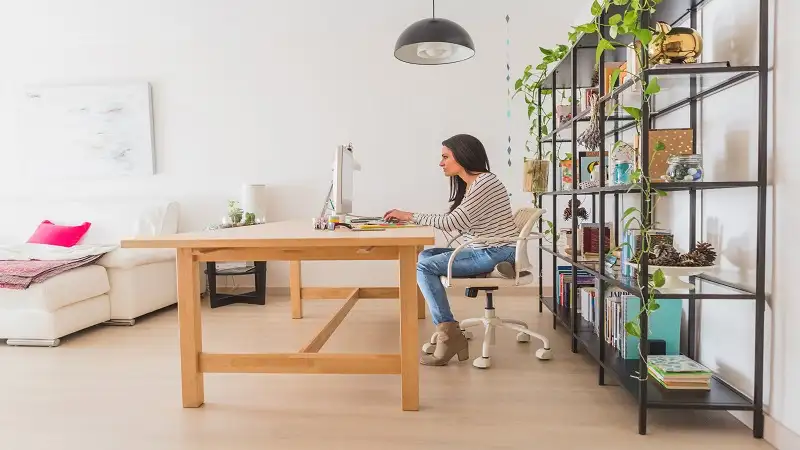
Working from home sounds great – until you realize your entire apartment is smaller than most people’s living rooms. If you’re living in 400 square feet in a city like New York, San Francisco, or Chicago, fitting in a dedicated workspace can feel impossible, especially if you’re searching for apartments for rent and worried about how remote work will fit into a smaller floor plan.
The good news? You don’t need a separate room or hundreds of extra square feet to make it work. With a little creativity and smart planning, even a compact apartment can support a productive workspace that functions during the workday and blends seamlessly back into your living space once you’re off the clock.
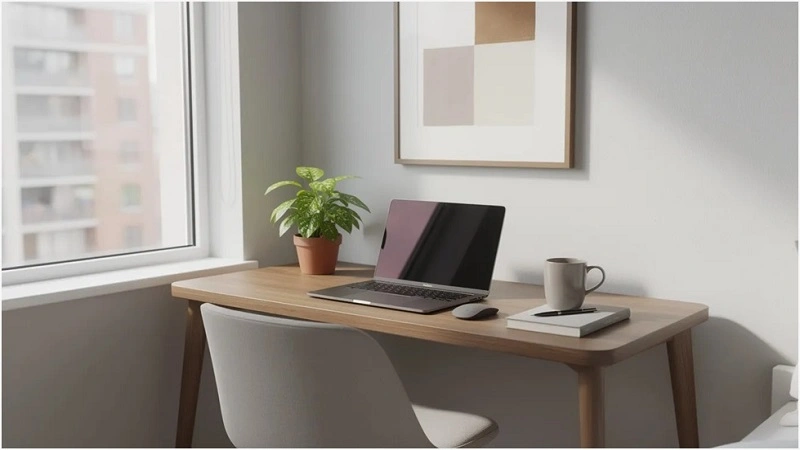
Start by Choosing the Right Spot in a Small Apartment
Before you buy a single piece of furniture, you need to figure out where your home office will actually live. In a 350–700 sq ft apartment without an extra room, this requires some creative thinking.
The goal is to find a designated space that offers enough room for a desk and chair, reasonable quiet, and ideally some natural light. Here are the most practical locations to consider:
- A living room corner near a window – This is often the best option, combining natural light with separation from high-traffic areas like the kitchen.
- A slice of wall beside your bed – In a studio, the bedroom is the living room, so a small desk against one wall works when positioned away from where you rest.
- A hallway niche – That awkward 3-foot section between rooms can accommodate a narrow console table and folding chair.
- Under a lofted bed – If you have ceiling height, a loft bed creates an entire office area beneath your sleeping space.
Consider a concrete example: a 400 sq ft Brooklyn studio where the tenant placed a 30-inch desk in the space between a wardrobe and window. The setup captures morning light, stays out of the main walking path, and tucks away visually when not in use.
Before committing to any spot, assess noise and distraction levels. Think about:
- Distance from the TV and kitchen (cooking noises, appliance hums)
- Roommate or partner traffic patterns
- Proximity to thin walls shared with neighbors
A simple trick: use painter’s tape on the floor to outline the footprint of your desk and chair. Live with it for a day or two before buying furniture. You’ll quickly discover if the spot actually works for your routine.
If no good wall exists, consider a compact table pulled out from the dining area or a movable cart that becomes a rotating workstation. A kitchen table can double as your workspace during work hours, then transition back for dinner parties or personal time.
Turn Corners, Closets & Nooks Into Mini Offices
Awkward corners, shallow closets, and alcoves aren’t problems—they’re opportunities. These underutilized spaces can become surprisingly efficient micro offices with the right approach.
The key is matching the right solution to your specific weird space. A standard 24–30 inch deep closet can transform into a complete office nook. Corners that seem too small for anything can hold a compact desk. Even the space beside your fridge or at the end of a hallway can work.
For renters who can’t drill, you have plenty of options: removable hooks, tension rods, and over-door organizers all add storage and functionality without permanent modifications.
Closet Offices (“Cloffices”) That Disappear After Work
The appeal of a closet office is simple: when work ends, you close the doors and your office literally vanishes. You’re left with a bedroom or living space that feels like home, not like you live at work.
Here’s how to create one:
- Clear the closet – Remove everything and assess what you’re working with.
- Measure width and depth – Most standard closets are 24–30 inches deep, which is enough for a laptop setup.
- Install a sturdy work surface – A 24-inch wide board or ready-made shelf mounted at 28–30 inches height creates your desk.
- Add lighting – LED strip lighting under a shelf above your work surface illuminates the space without taking up room.
- Maximize the doors – Mount a magnetic strip or corkboard on the back wall, and use the inside of doors for pegboards or file pockets.
Keep supplies organized with matching storage boxes or flat file drawers on the floor. This keeps paperwork and tech hidden but accessible when you need them.
For seating, choose a lightweight folding or rolling chair that can be moved out before closing the doors. This prevents the “closet office that never actually closes” problem.
Making the Most of Awkward Corners & Alcoves
Prewar apartments, lofts, and converted spaces often have weird angles and niches that seem useless. These can actually become productive zones instead of dead space.
For tight 24 x 24 inch corners:
- Use a wall mounted corner shelf desk
- Add a clamp lamp to save surface area
- Choose a backless stool that tucks completely under
For shallow alcoves:
- Ladder desks work brilliantly here, combining a small worktop with vertical shelving
- The visual bulk stays minimal while storage capacity stays high
Consider this layout: an alcove between a chimney breast and window hosting a 32-inch ladder desk with a backless stool that tucks fully under. The workspace takes up zero floor space when not in use.
To visually mark your tiny workspace as a distinct zone, use a single calm wall color in the alcove and place a small rug under the chair. This creates psychological separation even in a room where everything shares space.
Light, Ergonomics & Tech: Make Small Setups Comfortable
Comfort and health matter just as much as aesthetics – especially when you’re logging 35–40 hours per week from your tiny desk. Poor setup can lead to back pain, eye strain, and the kind of fatigue that makes you dread Monday mornings even more.
Natural light is your friend. Positioning your desk near a window reduces eye strain and makes video calls look more professional (no harsh overhead shadows). Research shows natural light can boost productivity by 15–20% compared to windowless setups.
Place your desk perpendicular to the window rather than facing it directly. This avoids screen glare while still capturing daylight. If harsh light is an issue, add blinds or thin curtains to soften it.
For compact ergonomic basics, you don’t need a huge office chair or expensive equipment:
- An adjustable laptop stand that raises your screen to eye level
- An external keyboard and mouse (keeps your arms at proper angles)
- A small lumbar cushion for whatever chair you’re using
Task lighting is essential for focused work. Clamp-on or wall mounted task lights save desk surface area while providing targeted illumination. Aim for 300–500 lux at your work surface for close work.
Set your monitor or laptop screen so the top is roughly at eye level. Your arms should rest at approximately 90 degrees when typing. These basics promote good posture even in a tiny workspace.
Ergonomic Essentials in Tight Spaces
Ergonomics in a small apartment means supporting posture and reducing strain without bulky chairs or huge desks.
If you’re using a standard dining chair as your office chair:
- Add a slim footrest (or even a sturdy box) to keep knees bent comfortably
- Use a portable seat cushion that can move between sofa and chair
- Consider a lumbar pillow rather than investing in a full-size office chair
For screen positioning in tight spaces:
- Compact monitor arms or wall mounts reclaim desk surface
- They also allow precise height adjustment without stacking books
Since small spaces often limit movement during the day, take standing or stretch breaks every 45–60 minutes. Walk to the window, do a few stretches, or spend time making coffee. Your body will thank you.
Simple Tech & Cable Management for Calm Desks
Messy cords quickly overwhelm small, multifunctional rooms. A tangle of chargers and cables makes even a clean desk feel chaotic.
Essential cable management solutions:
- Under-desk cable trays – Guide cords along the back edge and down a single leg
- Adhesive cable clips – Route cables without drilling
- A small desktop charging station – Replaces multiple scattered outlets
- A cable box on the floor – Hides a power strip with surge protection
Choose wireless peripherals when possible. A wireless mouse, keyboard, and headphones dramatically reduce cable tangle on a small surface and make packing up at day’s end much simpler.